
aVenture Lookup tells you which company or person a name or other clue refers to, one name at a time. A CRM export holds thousands of names, and a portfolio page names a hundred companies. An AI agent often wants to hand off a slow lookup and keep working while it runs.
Identify a List of Names in One Job, and Stop Waiting on Slow Requests
Give aVenture a list of names and get back the company or person each one refers to, all in one background job.
5 min read
Two additions to the API handle those situations. Bulk lookup jobs identify a whole list in one background job. Asynchronous requests turn a slow lookup or search into a job you check back on.
Identify a whole list in one job
To start a job, send one of two things to POST /v1/lookup/mentions, along with maxNames, the largest number of names the job should handle. The current limit on that number is shown in the API and CLI help.
- A list of names you already have. Each entry gives a
nameand atype:COMPANY,PERSON, orPRODUCT_SERVICE. - The address of a page. The job reads the page, pulls out the names it mentions, and identifies as many of them as the limit allows.
aventure lookup mentions --max-names 500 --source-url "https://example.com/portfolio"
The job runs in the background. Read it with GET /v1/lookup/jobs/{jobId}, and wait 10 seconds between reads while it works. Each name comes back with the same answer a single lookup gives. A MATCHED result means the name refers to one company, person, or product or service, and the answer includes that profile. NO_MATCH means aVenture does not hold it yet. NEEDS_REVIEW means the name could be several lookalikes and is too close to call, so the answer includes a ranked list of candidates. Names settle one at a time, so answers fill in while the job is still running, and a progress field such as namesProcessed tells you how far along it is.
A bulk job never creates placeholder profiles or starts new research. A name that finds no match stays unmatched, and you pay only for the lookup. Two entries with the same name and kind, ignoring capitalization, are identified once. If you send the same request again within 24 hours, you get the earlier job back and are not charged for a second one. A name that fails comes back with a one-sentence reason, and the rest of the list still completes.
Bulk jobs run against their own limit of 2,000 names per hour, so a big job does not use up the per-minute limit on your single lookups. The Free plan includes 20 single lookups a day, while bulk jobs require AI Plus or AI Pro. The Plans explained page gives the full terms.
A pipeline for messy lists
Bulk lookup is the first step in matching an unreliable list to aVenture profiles.
- Send the CRM export, the bank counterparties, or the conference attendee page to a bulk job.
- Act on each answer. Join
MATCHEDresults to their aVenture profiles. SendNEEDS_REVIEWresults to a person, and setNO_MATCHresults aside. - Update the profiles that are incomplete or out of date. Each match tells you when the profile last changed (
updatedAt), and a company match also tells you how complete the profile is (dataCompletionCoverage). Send only the incomplete or outdated ones for a research update.
The Identify a List of Names guide shows the full request and response, with curl, CLI, and MCP examples.
Stop holding connections open
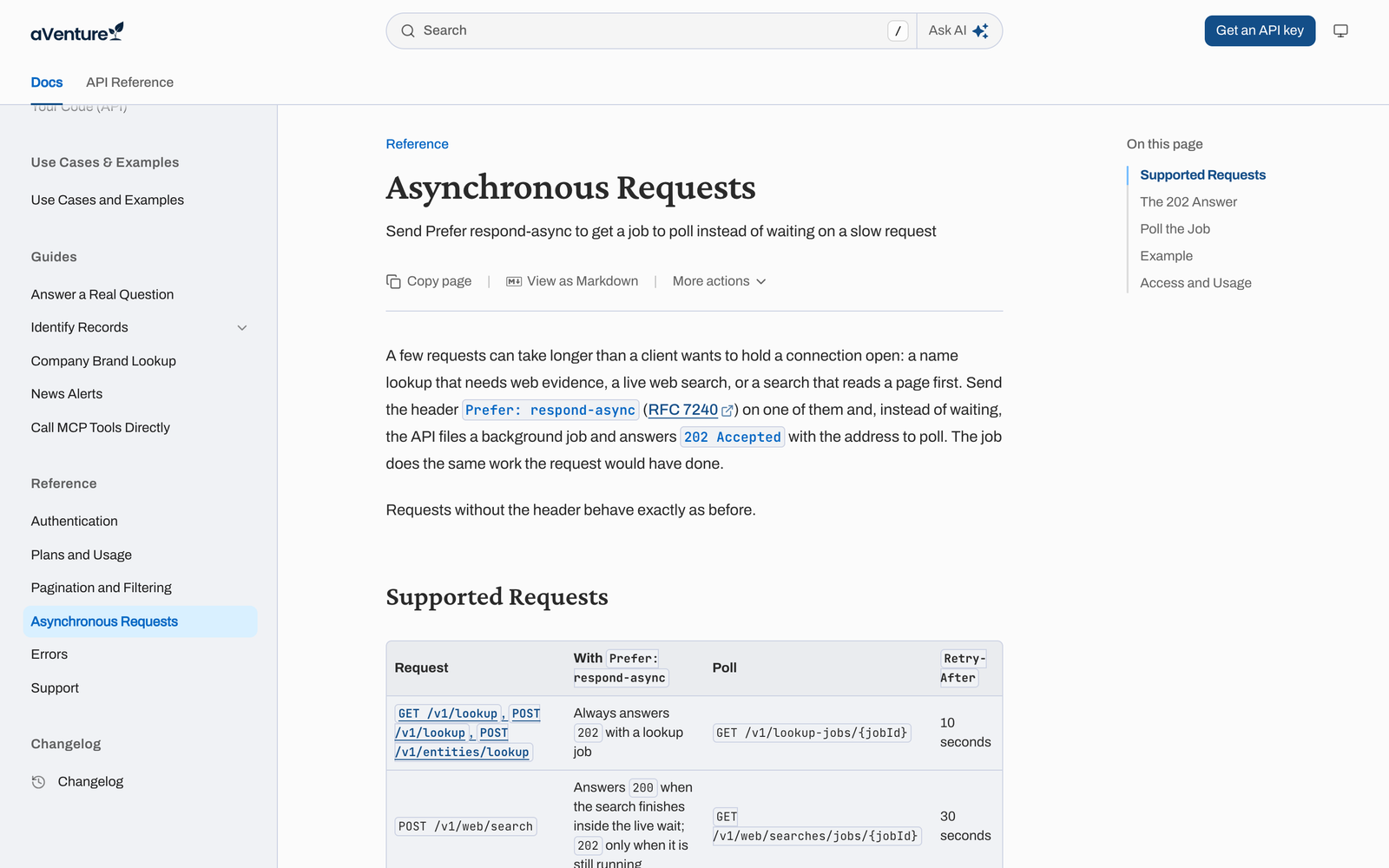
Some single requests take longer than your software wants to wait, like a name lookup that needs a new web check, a live web search, or a search that reads a page first. For any of these, add the Prefer: respond-async header to the request. The API then starts a background job and answers 202 Accepted right away, along with the address to check.
curl -i -X POST "https://api.aventure.vc/v1/lookup" \
  -H "Authorization: Bearer $AUTH_TOKEN" \
  -H "Content-Type: application/json" \
  -H "Prefer: respond-async" \
  -d '{"name":"Mercury","url":["https://mercury.com"],"kind":"ENTITY"}'
The Location header and the statusUrl field in the response both point at the job. The Retry-After header says when to read it. Each read answers 202 while the job runs and 200 once it finishes. A web search or link search job returns the same body the original request would have. A lookup job returns the job itself, and its identification field holds exactly the answer the original lookup would have given. Three kinds of request accept the header today.
| Request | Poll | Wait between reads |
|---|---|---|
Lookup by name (POST /v1/lookup with kind: "ENTITY" for companies) |
GET /v1/lookup/jobs/{jobId} |
10 seconds |
Web search (POST /v1/web/search) |
GET /v1/web/searches/jobs/{jobId} |
30 seconds |
Link search (GET /v1/search/link) |
GET /v1/search/link/jobs/{jobId} |
5 seconds |
A web search that finishes within its normal wait still answers 200 at once. A lookup whose name is exactly a profile's id, handle, or slug never needs a job. Requests without the header behave exactly as before.
This matters most for AI agents and serverless functions, which often run under short request timeouts. An agent can start a slow lookup, do other work, and pick up the answer on its next turn. The CLI and the MCP server keep waiting for answers as they always have, and both can read any job by its id.
Try it
Both features are live in the API. Start with the Identify a List of Names guide and the Asynchronous Requests reference.