
A profile you are reading says a company has 40 employees, and you know it has 400. A founder changed jobs last month. A startup you care about has a thin profile because nobody has looked at it closely yet. Until now, the fix was to tell us and wait.
Research Updates: Have AI Agents Re-Research Any Company or Person Profile
On AI Plus and AI Pro, send AI agents to re-research any company or person profile and fix stale data yourself.
4 min read
Research updates let you fix it yourself. One click sends AI agents to re-research the whole profile. They search the web, check what you pointed out, and update the profile you were reading.
Update this record, from any profile
Company and person profiles on aVenture have an Update this record button next to Share. It opens one sheet with two questions.
What should we check? Tell the agents what looks wrong or missing, like an employee count, a headquarters, a fund size, or a link to a page with the right value. Leave it blank to refresh everything on the profile.
How should we update it? Pick one of two options:
- Research it now. The agents start right away; this option is included with AI Plus and AI Pro.
- Request a specific fix. It is free and needs no account. Our team changes only what you name, so it takes longer; use it to correct an error with a link that shows the right value, or to ask us to remove details that are not public anywhere else.
After you send a profile for research, the sheet confirms it and we notify you when it finishes. Profiles you have sent for research appear in your Recently Enriched list, so you can open the updated profile when it is ready.
The same sheet is in the aVenture Research iOS app, on company and person profiles.
What a run does
A research run covers the profile end to end. The agents search news and company pages across the web, check the detail you mentioned against them, and update the parts of the profile those pages support. What they write provides source link references, like the rest of aVenture data.
If a run for the same profile is already queued or running, a new request joins it, and you are not charged twice.
What it costs
| Plan | Company research included each month | Person research included each month |
|---|---|---|
| Free | 0 | 0 |
| AI Plus | 30 | 30 |
| AI Pro | 270 | 270 |
Each run uses one of the company or person research runs that come with your plan, and those reset at the start of each month (UTC).
When the runs on your AI Plus or AI Pro plan are used up, runs continue at $2.50 per company and $0.65 per person, paid from prepaid credit you buy on the aVenture website or through additional usage billing turned on in your subscription settings. Without credit or additional usage, Research it now pauses until your runs reset. The pricing page lists the full terms.
Research many records from the API, CLI, or MCP
The same runs are available to code and AI agents. The Update Records With Research guide in the aVenture docs covers each call.
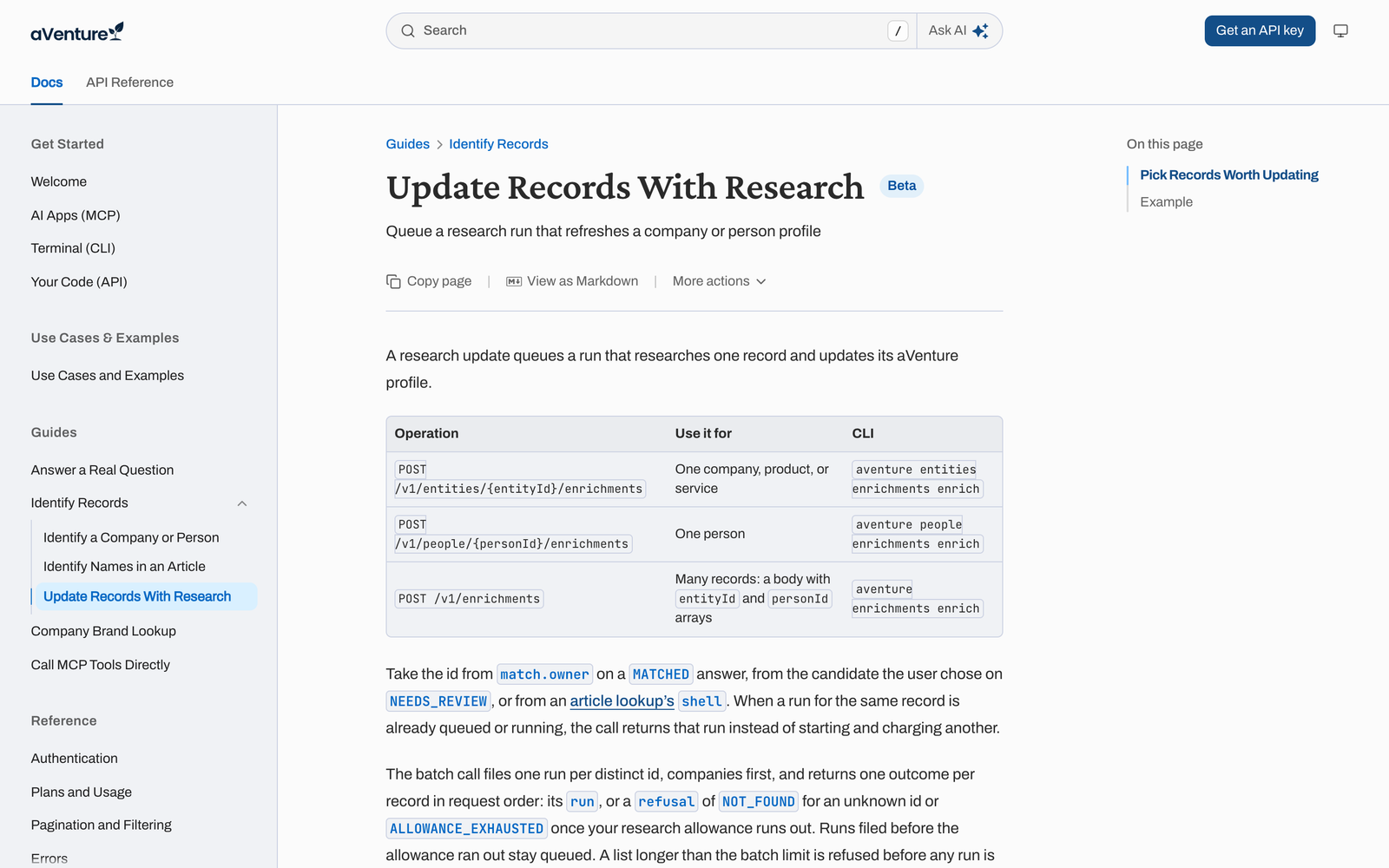
| You want to update | API | CLI |
|---|---|---|
| One company, product, or service | POST /v1/entities/{entityId}/enrichments |
aventure entities enrichments enrich |
| One person | POST /v1/people/{personId}/enrichments |
aventure people enrichments enrich |
| Many companies and people at once | POST /v1/enrichments |
aventure enrichments enrich |
The batch call takes arrays of company and person ids and returns one outcome for each, in the order you sent them. If your plan has no research runs left for one of them, that entry comes back as ALLOWANCE_EXHAUSTED, and the entries ahead of it stay in line. You can check any run with GET /v1/research/runs/{runId}. It moves from queued to running to completed, and then you can read the updated profile.
aventure enrichments enrich --entity-id "$ENTITY_ID" --person-id "$PERSON_ID"
aventure research runs get --run-id "$RUN_ID"
Through the MCP server, an assistant such as Claude or ChatGPT can start these runs for you when you ask it to update a profile.
Send stale or thin records for research
When you look up a list of companies with Lookup, each result shows a completeness score from 0 to 100 (the share of required profile facts the profile holds) and when the profile was last updated. A thin or out-of-date profile is exactly what a research run is for; a complete profile updated recently rarely needs one. Resolve your list with Lookup, keep the stale or thin profiles, and send only those for research.
Try it
Open any company or person profile and choose Update this record. AI Plus adds 30 company and 30 person research runs each month.
