
Keeping up with a company's news usually means running the same search every morning and comparing the results, hoping nothing slipped through. aVenture already connects every news article it finds to the companies it covers. News alerts turn that into a push. Pick a company, and each time a new public article is linked to it, aVenture sends the article to you.
News Alerts: Get Every New Article About a Company Posted to Your Webhook
Subscribe a company news webhook and aVenture posts each new article about that company, signed and retried.
4 min read
News alerts are free on every signed-in account, including the Free plan.
Set one up in Settings
Your account settings are the quickest way to start. On the News alerts page, choose Add alert and pick a company; every new article about it arrives as a notification in the app. On the Webhooks page, choose Add webhook, pick an alert, and enter the web address for the articles. aVenture creates a secret key to copy into your receiver, checks that the address answers, and lists the webhook with its delivery status and expiry. Each webhook has Send test event, Renew, and Remove controls.
Subscribe from code, the CLI, or an AI assistant
A news alert connects one HTTPS web address to one company. From the terminal, create a secret key, save the subscription in a file, and subscribe:
echo "whsec_$(openssl rand -base64 32)"
aventure news subscriptions subscribe --from-file subscribe.json
{
  "name": "entity.news.published",
  "arguments": { "entityId": "<company id>" },
  "delivery": {
    "mode": "webhook",
    "url": "https://example.com/aventure/news",
    "secret": "whsec_..."
  }
}
The same subscription is available through the API as PUT /v1/news/subscriptions. The aVenture MCP server exposes the same call as events/subscribe, so an AI assistant can set one up for you. A subscription lasts 7 days, and subscribing again refreshes it.
What arrives at your endpoint
Every delivery arrives as a signed POST request that follows the Standard Webhooks specification, so you can verify it with a ready-made library for Node.js or Python before you trust it. The body carries the article itself, the same data the news API returns, plus an event id (eventId) and a cursor (cursor):
{
  "eventId": "evt_...",
  "name": "entity.news.published",
  "timestamp": "...",
  "data": { "title": "...", "newsUrlOriginal": "..." },
  "cursor": "..."
}
A new address must answer a one-time challenge before any news reaches it, so nobody can point alerts at an address they do not control. Answer with a success status (2xx) and the event is done. A 410 or 413 refuses that one event for good. Any other answer, or silence, is retried with exponential backoff, from one minute up to six hours, and after 12 consecutive failures delivery pauses until you refresh the subscription. Retries keep the same event id, so you can drop any id you have already handled. An event too large to send is replaced by a gap message carrying its cursor, so you know to catch up.
See and test your alerts
List subscriptions with GET /v1/news/subscriptions or from the CLI with aventure news subscriptions list. Each reports its delivery health: active, retrying with the next attempt and the last error, paused, or expired. To test your endpoint before real news arrives, send a test event:
aventure news subscriptions test-events send --subscription-id "$SUBSCRIPTION_ID"
aVenture posts one signed sample article and reports exactly what your endpoint answered, such as a 200 marked as acknowledged. A test event never moves your subscription forward.
We dogfooded it
Before writing this post, we pointed a small receiver at Anthropic's news on our staging environment, using the public CLI and API, the Settings page, and a throwaway test account. The receiver answered the verification challenge, and every request it received carried a valid signature. The first real article ("Google's James Manyika: The AI Industry Can't Police Itself Alone") arrived 18 minutes after we subscribed. Test events reported our receiver's real answers, a 500 while we had it failing on purpose and a 200 once we turned it back on.
Build a receiver
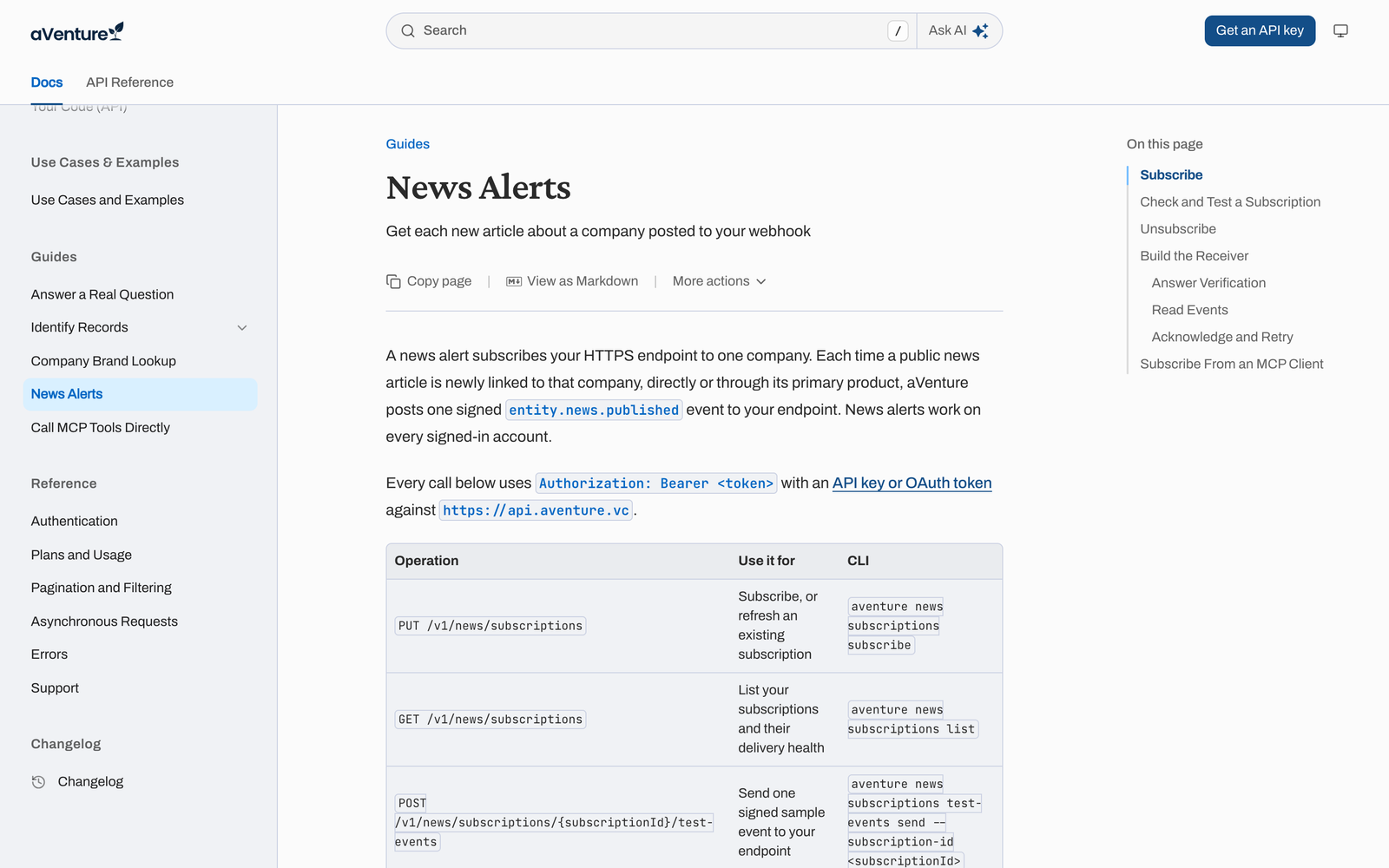
The News Alerts guide has a complete Node.js receiver in about 25 lines, along with the verification and retry rules, the special gap and terminated messages, the error codes MCP Events can return, and the limits: up to 100 subscriptions per account, events up to 256 KB, and an answer within 10 seconds. Point alerts at your portfolio, your competitors, or a watchlist from your research workspace.