
More research now starts in an AI app or a terminal than in a browser tab. You ask Claude about a company, or a coding agent pulls data into a script. aVenture meets you in both places, with the same data as the website.
aVenture in Claude, ChatGPT, and Your Terminal: The MCP Server and CLI
Research private company data from Claude, ChatGPT, or your terminal with aVenture's MCP server and CLI.
6 min read
- The aVenture MCP server connects Claude, ChatGPT, Claude Code, or any MCP client to aVenture. You ask in plain English, and the assistant looks up companies, people, funding, and news for you.
- The aVenture CLI puts the same data in your terminal, for you or for an agent that runs shell commands.
Both sign in with your aVenture account in the browser, so there is no separate key to create or paste. Free and paid plans both work.
Connect your AI app
The MCP Quickstart gives setup steps and ready-made prompts for each AI app. A prompt either performs the setup your app exposes or walks you through its settings. You handle the account sign-in and consent yourself, then turn the connector on in your conversation. To confirm it works, ask for Stripe's profile; a connector that returns it is connected.
To connect by hand, add a custom connector with these settings:
| Setting | Value |
|---|---|
| URL | https://mcp.aventure.vc/mcp |
| Transport | Streamable HTTP |
| Authentication | OAuth discovery and automatic client registration (DCR) |
In Claude and ChatGPT, add the URL as a custom connector and use automatic OAuth registration; leave manually entered client credentials empty. In Claude Code:
claude mcp add --scope user --transport http aventure https://mcp.aventure.vc/mcp
claude mcp login aventure
With Researchly, aVenture is already built in: open your profile, go to MCP servers, and choose Connect aVenture.
Ask questions, not API calls
Once connected, ask the way you would ask a colleague:
- "Look up Stripe on aVenture and summarize its funding history."
- "Which company owns ramp.com, and who founded it?"
- "Find seed-stage climate software companies in Austin."
- "Who is Patrick Collison, and which companies is he connected to?"
The assistant picks from a small set of tools on its own:
| Tool | What it does |
|---|---|
aventure_read |
Searches and looks up records; reads profiles, rounds, people, and news |
aventure_help |
Finds the right operation for a task |
aventure_job |
Files missing records and requests research updates |
Behind those tools is the whole aVenture API, so an assistant can also read a company's brand kit, identify every company and person named in a news article, or start a research update on a profile you ask it to refresh. If you write your own agent, Call MCP Tools Directly shows how to name each operation.
Research from the terminal
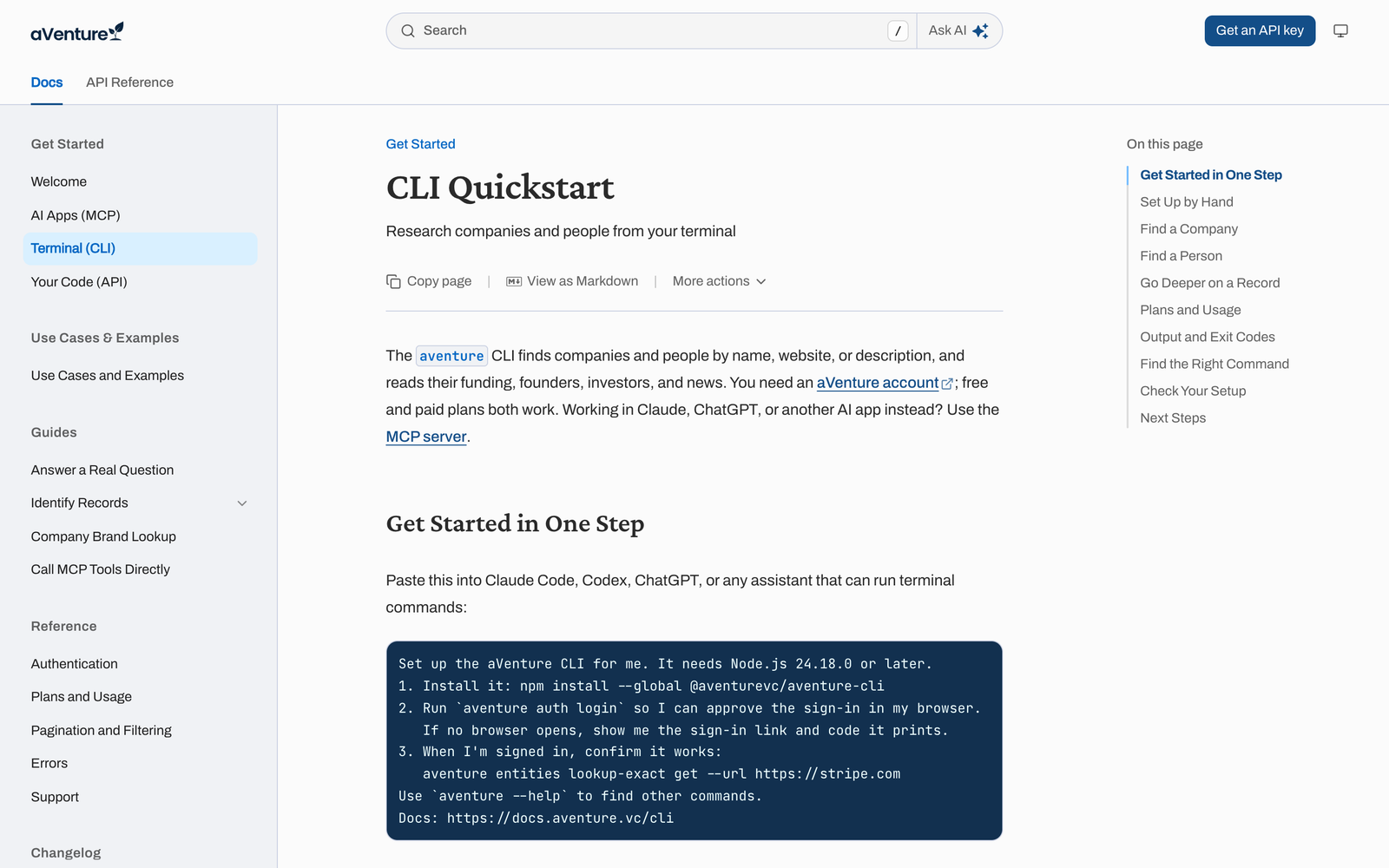
The CLI Quickstart offers the same one-step prompt for Claude Code, Codex, or any assistant that can run terminal commands. Doing the setup by hand takes two commands and Node.js 24.18.0 or later:
npm install --global @aventurevc/aventure-cli
aventure auth login
aventure auth login opens your browser to sign in with your aVenture account. Over SSH or in a container, run aventure auth login --no-browser instead. If the sign-in flow supports device authorization, approve the link and code it shows on your device. If it does not, follow the error it reports or use the API-key fallback, aventure auth login --key --no-browser. For CI, set the AUTH_TOKEN environment variable to an API key instead.
Then ask:
aventure lookup --kind ENTITY --name Stripe
aventure lookup --kind ENTITY --name Mercury --context "banking for startups" --location "San Francisco"
aventure search natural entities --query "seed-stage climate software companies in Austin" --size 5
aventure entities fundraise-rounds list --entity-id <id>
In a terminal, results print as a table or labeled fields. When you pipe the output into another program, the CLI prints JSON instead, and the exit code tells your script whether the call worked. aventure auth status checks your version, connection, and sign-in, and tells you what to fix when something is off.
Plans, usage, and upgrades in the same place
The website, the API, the CLI, and the MCP server all use the same account. On the free plan you can read a profile by its website, for example "Read aVenture's profile for ramp.com." The Free plan also finds companies and people by description 5 times a day and by name 20 times a day; AI Plus and AI Pro remove the daily cap.
You can also buy prepaid credit on the aVenture website with any signed-in account, with or without a subscription, in any amount you choose. Usage past the included allowance, such as profile views beyond the monthly number, draws from that credit at the listed per-use prices through the website, API, CLI, and MCP server alike, and stops when the credit runs out. An AI assistant can add credit for you only after you turn on that permission in your web settings, and each purchase still needs your own approval in your own words; you can also set an optional monthly usage limit. Buying credit adds no subscription features, so the daily caps on plain-English searches and name lookups still lift only with AI Plus or AI Pro, and the full terms are in aVenture plans explained.
aventure billing subscription get shows your plan and what you have used so far, and aventure billing plans list lists every plan with its monthly and annual prices. An assistant connected through MCP can list plans and usage and hand you the secure checkout link on the website, opening it directly if your app supports that. You complete the purchase on the website; the public MCP connector cannot change your subscription or finish checkout in chat. An assistant with shell access can run the CLI's billing commands with your explicit consent. When a plan limit runs out, the answer tells you which limit you reached and how to raise it. Plans and usage has the full terms.
Get started
Create an aVenture account, then follow the MCP Quickstart or the CLI Quickstart. The Use Cases and Examples page pairs each common job with the MCP call or CLI command that does it. The CLI is @aventurevc/aventure-cli on npm, and the code for both the CLI and the MCP server is on GitHub.
Similar content
Research Guides
How to Research Startups in Claude and ChatGPT
Ask Claude or ChatGPT about any startup's funding, investors, and news, using aVenture's data.
William CallahanOct 20, 2026

Policy
What You Can Build With aVenture Data
What you may show your users from aVenture, and what needs an Enterprise agreement.
William CallahanOct 4, 2026

Research Platform
Eight Recipes for aVenture Data: From a Website to a Brand Kit, a Target List, or a Portfolio
How to pull brand details, funding history, and investor portfolios out of aVenture from your own software.
William CallahanOct 4, 2026